Updated March 2026
Leonardo AI
The AI search engine that gives you direct, cited answers instead of an endless list of links.
Tool Chamber Score: 4.4/5
Starting at: Free Pro is $20/month
Learning Curve: Moderate
If you’ve spent time wrestling with Midjourney’s Discord interface trying to produce consistent game sprites, you already know the frustration. Leonardo.ai was built for exactly that problem — and in 2026, it has become the preferred AI image generator for game assets among indie developers, concept artists, and 3D asset creators who need more control than a chat box can offer.
This Leonardo.ai review 2026 covers everything from its flagship Phoenix model to its texture pipeline, pricing, and how it compares to the major alternatives.
What Makes Leonardo.ai Different?
Most AI image tools are built around a prompt box. You type, you get an image, you repeat. Leonardo.ai takes a fundamentally different approach — it feels like a professional creative workspace rather than a conversational interface.
The dashboard gives you simultaneous access to model selection, generation settings, image history, canvas tools, and fine-tuning options — all without switching screens. For game developers who are juggling asset pipelines, that kind of layout matters.
Central to Leonardo’s quality upgrade in 2026 is the Leonardo.ai Phoenix model. Phoenix delivers a noticeably stronger balance between prompt adherence, detail density, and stylistic control than its predecessor models. It handles complex multi-element game scenes — environments, characters, props — with greater compositional accuracy than most competing models at a similar price point.
Unlike chat-based tools that prioritize casual ease of use, Leonardo’s dashboard is designed for creators who make decisions about style, seed, and guidance strength on every generation. That specificity is its biggest differentiator.
Key Features for Game Designers and Creators
3D Texture Generation
Leonardo’s AI texture generator pipeline is one of its most underused features — and one of its most powerful. It produces seamless, tileable textures suitable for direct import into Unity, Unreal Engine, or Blender. You can specify material type, surface quality, and lighting condition in the prompt, and the output maps cleanly onto 3D models without visible seams.
For indie developers building environment assets without a dedicated texture artist, this alone justifies the subscription.
AI Sprite Sheet Generator
Leonardo is currently the strongest AI sprite sheet generator in the consumer market. Using its Image Guidance system and seed locking, you can generate a walking cycle, attack animation, or idle set that maintains character consistency across every frame.
This is a genuine time and cost saver for indie developers. A sprite sheet that would take a freelance pixel artist several hours to produce can be iterated in minutes — with full control over style, palette, and pose framing.
Consistent Characters
One of the most painful limitations of AI image generation has always been character drift — generate the same hero character ten times and you get ten slightly different people. Leonardo addresses this directly through its consistent characters system.
By combining character reference uploads with seed locking and IP Adapter weighting, Leonardo maintains facial features, costume details, and proportional consistency across multiple generations. For game developers building narrative assets or a recurring cast of characters, this solves a problem that previously required significant manual post-processing or expensive fine-tuning runs.
Canvas Editor (Inpainting & Outpainting)
The Canvas Editor lets you select any region of a generated image and reprompt it independently. This is particularly useful for fixing problem areas — a poorly rendered hand, a background element that doesn’t fit — without regenerating the entire image.
Outpainting extends the canvas beyond the original frame, useful for creating wider environment shots from a narrower base generation.
Image Guidance (Sketch-to-Image)
Upload a rough sketch and Leonardo will use it as a structural reference while applying your chosen style on top. For game designers who work in wireframe or rough thumbnail stage before committing to a final asset style, this creates a fast, iterative loop that feels close to working with a real art director.
Leonardo.ai Pricing: How the Token System Works
Leonardo operates on a token-based pricing model. Every image generation consumes tokens based on resolution, model used, and feature complexity. Here’s how the plans break down:
| Plan | Price | Tokens | Commercial Rights |
|---|---|---|---|
| Free | $0/month | 150 tokens/day (resets every 24h) | ❌ Not included |
| Apprentice | $10/month | 8,500 tokens/month | ✅ Included |
| Artisan | $24/month | 25,000 tokens/month | ✅ Included |
| Maestro | $48/month | 60,000 tokens/month | ✅ Included |
A few important notes on the token system:
- Free tier tokens reset daily — casual users and students can get genuine value without paying, though 150 tokens limits you to roughly 10–20 standard generations per day
- Commercial rights start at the Apprentice tier — if you’re asking whether Leonardo.ai qualifies as an AI image generator for commercial use free, the answer is no. Free tier outputs are for personal use only. You need at least the $10/month Apprentice plan to monetize or license generated assets
- The Artisan plan at $24/month is the practical sweet spot for working game developers and freelancers generating assets at volume
- Tokens do not roll over between months on any plan
If you’re evaluating purely free options without any signup barrier, tools like Nano Banana 2 generate faster with zero friction — [Nano Banana 2 Review]. But for structured asset creation with professional-grade controls, Leonardo’s free tier is still meaningfully capable for learning and prototyping.
Pros and Cons
✅ Pros:
- Best dashboard UI in the AI image generator space — purpose-built for control, not casual use
- Daily free tokens make it genuinely accessible for students and indie developers on tight budgets
- AI sprite sheet generator capabilities are best-in-class for maintaining frame consistency
- Consistent characters system solves one of AI art generation’s most persistent pain points
- Phoenix model delivers strong prompt adherence and compositional quality
- 3D texture pipeline produces clean, seamless, import-ready assets
- Canvas Editor (inpainting/outpainting) supports precise, region-level edits
- Versatile enough for non-game use cases — high-quality PNGs work well as an AI image generator for t-shirt designs and print-on-demand products
❌ Cons:
- Token limits can become restrictive quickly on high-resolution or feature-heavy generations
- Steeper learning curve than simple chat-based tools — new users face a non-trivial onboarding period
- Commercial rights locked behind paid plans — free tier is personal use only
- No offline or self-hosted option — fully cloud-dependent
- Requires account signup — unlike a free AI image generator no login tool, you cannot test it anonymously
Leonardo.ai vs Midjourney vs DALL-E 3
| Leonardo.ai | Midjourney V8 | DALL-E 3 | |
|---|---|---|---|
| Best For | Control & game assets | Raw artistic quality | Easy prompts & beginners |
| Interface | Professional dashboard | Discord / Web | ChatGPT chat interface |
| Standout Feature | Canvas Editor + Sprite Tools | Stylize & aesthetic depth | Conversational editing |
| Free Tier | ✅ 150 tokens/day | ❌ None | ✅ Limited via ChatGPT |
| Commercial Rights (Free) | ❌ Paid plans only | ❌ Paid plans only | ❌ Paid plans only |
| Consistent Characters | ✅ Strong | ⚠️ Requires workarounds | ❌ Limited |
| 3D / Texture Output | ✅ Native support | ❌ Not native | ❌ Not native |
| Learning Curve | Moderate | Moderate | Low |
| Best Price Entry | $10/month | $10/month | $20/month (ChatGPT Plus) |
For a deeper look at DALL-E 3’s strengths — particularly for content creators and non-technical users — see our full breakdown: [DALL-E 3 Review].
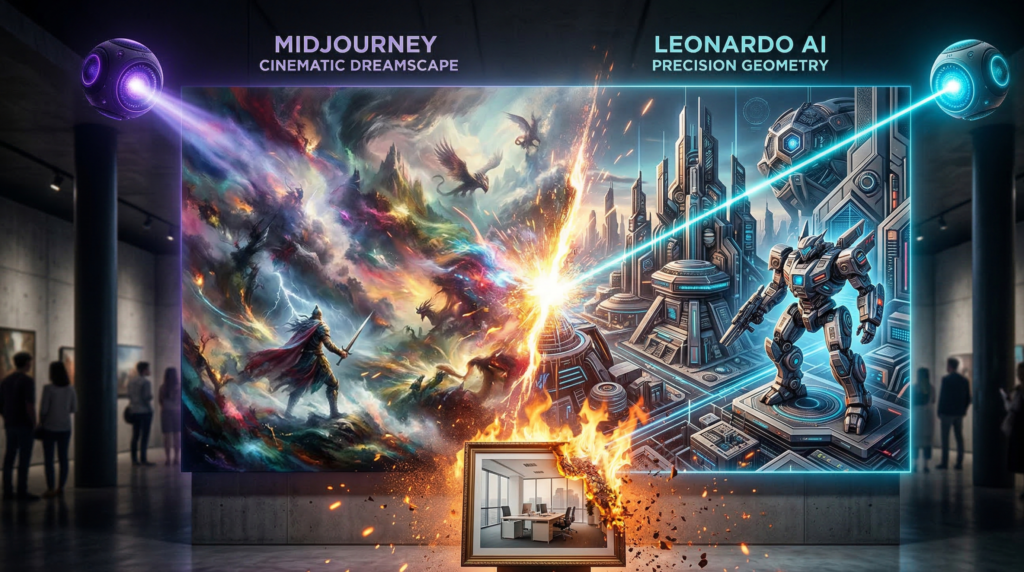
The comparison makes clear that these three tools aren’t really competing for the same user. Midjourney wins on pure visual artistry. DALL-E 3 wins on accessibility and conversational iteration. Leonardo wins when you need professional asset control — and for game development specifically, it’s in a category of its own.
Final Verdict: Is it the Best AI Image Generator for Game Assets?
Yes — with a caveat.
If you’re a game developer, indie creator, or 3D artist who needs structured, repeatable, commercially licensable assets with consistent characters and seamless textures, Leonardo.ai is the best AI image generator for game assets available in 2026. No other tool at this price point combines its dashboard depth, sprite sheet capabilities, texture pipeline, and character consistency tooling in a single platform.
The caveat is that it rewards users who invest time in learning it. If you’re looking for a quick, frictionless image generator, Leonardo will feel like overkill. For that use case, look at our roundup: [Best Free AI Image Generators in 2026].
But for serious asset creation? Leonardo.ai is the professional’s choice.
Tool Chamber Score
| Category | Score |
|---|---|
| Image Quality (Phoenix Model) | ⭐⭐⭐⭐½ |
| Ease of Use | ⭐⭐⭐ |
| Game Asset Capability | ⭐⭐⭐⭐⭐ |
| Free Tier Value | ⭐⭐⭐⭐ |
| Pricing & Commercial Rights | ⭐⭐⭐⭐ |
| Overall Tool Chamber Score | 4.4 / 5 |
Who should subscribe:
- Indie game developers building 2D or 3D asset pipelines
- Concept artists and character designers needing consistency across a project
- Freelancers producing assets for commercial licensing (Apprentice plan minimum)
- Print-on-demand creators needing clean, high-resolution PNGs
Who should look elsewhere:
- Complete beginners who want instant results with zero setup → try DALL-E 3
- Users who prioritize pure artistic aesthetics → try Midjourney V8
- Developers needing maximum API speed at scale → try Flux 2 Pro
This Leonardo.ai review 2026 was last updated March 2026 by Toolchamber Editorial Team. Pricing and token allocations are subject to change — verify current plans at leonardo.ai before subscribing.