Updated March 2026
In This Guide:
- Quick comparison of the best AI image generator tools
- What is an AI Image Generator (and how it works in 2026)
- Top 10 AI image generators ranked and tested
- Free AI image generators you can use today
- Midjourney vs Flux 2: key differences explained
- How to choose the best AI image generator for your needs
- Answers to the most common questions (FAQ)
The AI image generation landscape in March 2026 looks nothing like it did two years ago. Models have shattered the “uncanny valley,” diffusion architectures are faster than ever, and the gap between professional design software and AI art generators has nearly closed. Whether you’re a solo creator, a marketing team, or a developer building products, choosing the best AI image generator is now a mission-critical decision.
We tested over 20 platforms across speed, output quality, pricing, and commercial licensing. From free AI image generators to advanced AI art generator tools, the market is more competitive than ever. Here are the top 10 that earned their spot.
What Is an AI Image Generator?
An AI image generator is a software tool that uses machine learning — typically a diffusion model or transformer architecture — to create images from a text description, a reference image, or both. You type a prompt like “a futuristic cityscape at sunset, photorealistic,” and the model renders a fully original image in seconds.
The best AI image generator tools in 2026 go far beyond simple text-to-image AI. They support style references, inpainting, outpainting, real-time canvas editing, and commercial licensing — making them practical for professional design, marketing, game development, and content creation at scale.
In short: AI image generators turn words into visuals, instantly — no design skills required.
TL;DR — Here’s a quick comparison of the best AI image generator tools in 2026:
| Tool Name | Best For | Pricing Model |
|---|---|---|
| Midjourney V8 | Photorealistic & artistic quality | Paid (from $10/mo) |
| Flux 2 Pro | Speed + API integration | Free tier + Paid |
| DALL-E 3.5 | ChatGPT ecosystem users | Pay-per-use / ChatGPT Plus |
| Nano Banana 2 | Fast, free, Gemini-powered | Free (Google account) |
| Leonardo.ai | Game assets & concept art | Free tier + Paid |
| Ideogram 2.0 | Text-in-image design | Free tier + Paid |
| Adobe Firefly 3 | Commercial-safe enterprise work | Included in Creative Cloud |
| Stable Diffusion 3.5 | Open-source & customization | Free (self-hosted) |
| Canva Magic Media | Non-designers & social content | Included in Canva plans |
| Tingu.ai | Multilingual creative prompting | Free tier + Paid |
Best AI Image Generators in 2026 (Top 10 Ranked & Tested)
After weeks of hands-on testing, we ranked each platform on five criteria: output quality, generation speed, ease of use, pricing value, and commercial rights. The AI image generator tools below represent the strongest options available right now — whether you need a free AI image generator for personal projects or an enterprise-grade AI photo generator for commercial campaigns.
Here’s the full breakdown.
1. Midjourney V8 — Still the King of Quality
Midjourney V8, released in late 2025, remains the gold standard for sheer visual quality. Its new “Coherence Engine” dramatically improved spatial logic — no more six-fingered hands or floating objects. Prompt adherence is best-in-class, and the new style-reference locking feature makes brand consistency achievable without fine-tuning.
Pros:
- Unmatched photorealism and artistic range
- Style-reference locking for brand consistency
- Active community and prompt library
- Improved text rendering in images
Cons:
- No free tier (Discord-only beginner plan removed)
- Slower than API-based competitors for bulk generation
- Requires learning prompt syntax for best results
Best For: Professional creatives, marketing agencies, and anyone who refuses to compromise on image quality.
2. Flux 2 Pro — The Developer’s Darling
Black Forest Labs’ Flux 2 Pro rewrote expectations for inference speed without sacrificing quality. In our tests, it generated a 1024×1024 image in under 1.5 seconds via API — a benchmark few competitors match. Its open architecture makes it the top pick for product teams building AI-powered applications. In the ongoing Midjourney vs Flux 2 debate, Flux wins decisively on speed and accessibility.
Pros:
- Blazing-fast generation speeds
- Clean, well-documented API
- Excellent prompt fidelity on complex scenes
- Strong free tier for developers
Cons:
- Artistic “style” not as distinctive as Midjourney
- Fine-tuning requires technical setup
- Community resources still maturing
Best For: Developers, startups, and power users who need a fast, reliable text to image AI tool with API access.
3. DALL-E 3.5 — OpenAI’s Sharpest Yet
OpenAI’s DALL-E 3.5 integrates directly into ChatGPT, making it the most accessible AI art generator for non-technical users. The 3.5 update brought significant improvements to small detail rendering and a new “canvas editing” mode that lets you repaint specific regions with a natural language prompt.
Pros:
- Seamless ChatGPT integration
- Excellent for editorial and conceptual illustration
- Inpainting via natural language is intuitive
- Strong safety filters for commercial use
Cons:
- Limited stylistic range compared to Midjourney
- Pay-per-use costs add up at scale
- No native style reference upload
Best For: ChatGPT Plus subscribers and content teams already embedded in the OpenAI ecosystem.
4. Nano Banana 2 (Gemini 3 Flash) — The Free AI Image Generator to Beat
Google’s Nano Banana 2 — the consumer-facing image tool powered by Gemini 3 Flash — is the best free AI image generator available in 2026. Speed is extraordinary (sub-2-second outputs), and because it lives inside Google’s ecosystem, it integrates cleanly with Google Docs, Slides, and Workspace. Quality has caught up considerably with paid competitors for everyday use cases.
Pros:
- Completely free with a Google account
- Fastest generation times tested
- Deep Google Workspace integration
- Consistently improving through Gemini model updates
Cons:
- Output style can feel “corporate” or overly polished
- Less control over artistic parameters
- No fine-tuning or style training options
Best For: Students, educators, and business users who need a capable free AI image generator without a subscription.
5. Leonardo.ai — The Game Asset Powerhouse
Leonardo.ai has carved out a dominant niche in game development and concept art. Its specialized model library — including dedicated pipelines for environments, characters, and props — gives creatives outputs that feel purpose-built rather than generic. The new “Realtime Canvas” feature is a standout, letting you paint rough sketches and watch them transform live.
Pros:
- Specialized models for game, film, and concept art
- Realtime Canvas for live iteration
- Strong community of artists and model trainers
- Generous free tier (150 tokens/day)
Cons:
- Interface can overwhelm new users
- Free tier outputs include watermarks on some models
- Less suited for photorealistic photography
Best For: Game developers, concept artists, and creative directors working on visual IP.
6. Ideogram 2.0 — The Text-in-Image Champion
Rendering legible text inside AI-generated images has been an industry-wide weakness for years. Ideogram 2.0 effectively solved it. Logos, posters, t-shirt graphics, and social media creatives with readable copy are now achievable in a single generation. For marketers and designers, this is a genuine workflow revolution.
Pros:
- Best-in-class text rendering inside images
- Purpose-built for graphic design outputs
- Strong aesthetic range (poster art, illustration, photo)
- Affordable paid tiers
Cons:
- Photorealism still trails Midjourney and Flux
- Limited API flexibility compared to competitors
- Text accuracy degrades on very long strings
Best For: Graphic designers, social media managers, and marketers creating typographic or branded visuals.
7. Adobe Firefly 3 — The Commercial-Safe Enterprise Choice
Adobe Firefly 3 is the only major AI photo generator trained exclusively on licensed and public domain content, making it the safest choice for enterprise and commercial work. Embedded inside Photoshop, Illustrator, and Express, it doesn’t replace your existing workflow — it supercharges it. The new “Structure Reference” feature intelligently adapts generations to match your existing composition.
Pros:
- Fully commercially safe (trained on licensed content)
- Native integration across Adobe Creative Cloud
- Structure Reference for composition-aware generation
- Strongest enterprise SLA and compliance options
Cons:
- Requires Creative Cloud subscription (not a standalone tool)
- Output style feels more “stock photo” than artistic
- Less competitive on stylistic creativity
Best For: Enterprises, agencies, and Creative Cloud users who need zero-risk commercial licensing.
8. Stable Diffusion 3.5 — The Open-Source Titan
Stability AI’s Stable Diffusion 3.5 remains the backbone of the open-source AI image generation ecosystem. Running locally or on your own cloud infrastructure, it gives you complete control: custom fine-tunes, LoRA models, ControlNet pipelines, and no usage caps. In 2026, the community model library has never been larger or more diverse.
If you’re looking for a free AI image generator with zero restrictions and unlimited outputs, self-hosted Stable Diffusion is unbeatable — provided you have the hardware.
Pros:
- Completely free to run locally
- Unlimited generations with no API costs
- Massive community model ecosystem
- Full pipeline control via ComfyUI or A1111
Cons:
- Requires capable hardware (VRAM-intensive)
- Steep learning curve for non-technical users
- No customer support — community-dependent
Best For: Developers, researchers, and technically proficient creators who want maximum control and zero cost per image.
9. Canva Magic Media — Design Made Effortless
Canva Magic Media is the friendliest AI art generator 2026 has to offer for non-designers. Integrated directly into Canva’s design canvas, it lets you generate images, backgrounds, and elements without ever leaving your project. The “Brand Kit” integration ensures generated images automatically match your color palette and style guidelines.
Pros:
- Zero learning curve — embedded in Canva’s familiar interface
- Brand Kit integration for style consistency
- Excellent for social media, presentations, and marketing
- Included in Canva Pro (no extra cost)
Cons:
- Limited creative range outside of “commercial stock” aesthetic
- No fine-tuning or advanced controls
- Quality lags behind dedicated tools like Midjourney
Best For: Small business owners, marketers, and non-designers who already use Canva.
10. Tingu.ai — The Multilingual Creative Challenger
Tingu.ai is the breakout story of 2026. Built with native multilingual prompt understanding, it generates high-quality images from prompts in over 40 languages without translation degradation — a first for the category. It’s particularly strong on cultural and regional aesthetics that Western-centric models often distort.
As a multilingual AI image generator tool, it fills a genuine gap that none of the major Western platforms have addressed at this level.
Pros:
- Native multilingual prompting (40+ languages)
- Strong on non-Western cultural and regional aesthetics
- Intuitive interface with minimal learning curve
- Competitive free tier
Cons:
- Smaller community and prompt resource library
- API still in early access
- Consistency can vary on highly specific prompts
Best For: Global content teams, multilingual marketers, and creators working in non-English-dominant markets.
Midjourney vs Flux 2: Which AI Image Generator is Better?
This is the most-searched comparison of 2026 — and the answer genuinely depends on what you’re building.
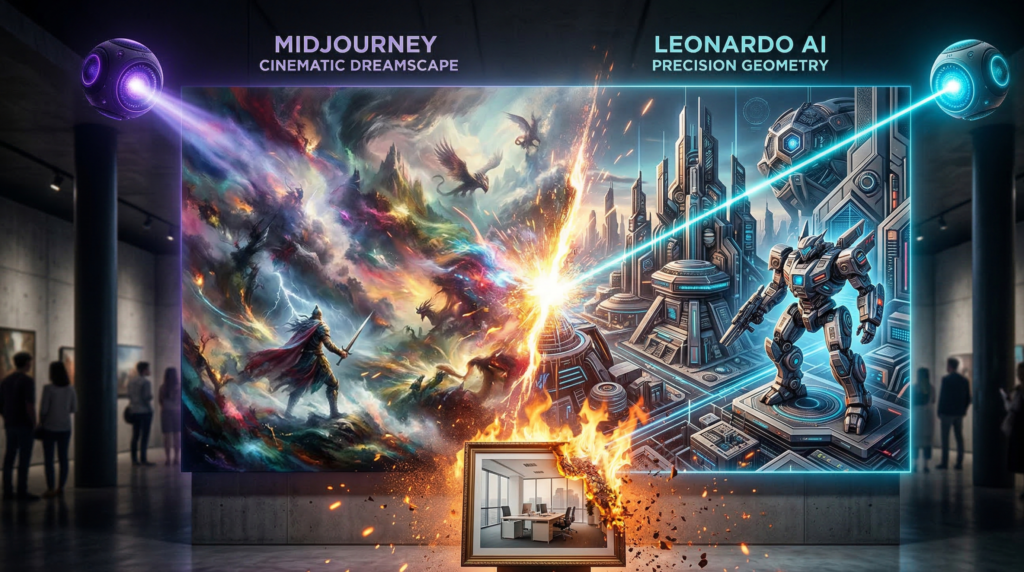
Quality: Midjourney V8 wins. Its Coherence Engine and style-reference locking produce images that still outclass every competitor on pure visual richness and artistic depth. If the final output is the only thing that matters, Midjourney is the choice.
Speed: Flux 2 Pro wins by a significant margin. At under 1.5 seconds per image via API, it’s purpose-built for applications, pipelines, and bulk generation workflows where Midjourney’s generation times create bottlenecks.
Ease of Use: Both require some learning curve, but in different ways. Midjourney rewards prompt crafting and creative intuition. Flux 2 Pro rewards technical setup and API integration skills.
Pricing: Flux 2 Pro’s free developer tier makes it accessible for experimentation without commitment. Midjourney dropped its free tier entirely — making Flux the more cost-effective entry point.
Use-Case Verdict:
| Midjourney V8 | Flux 2 Pro | |
|---|---|---|
| Best image quality | ✅ | — |
| Fastest generation | — | ✅ |
| API / developer use | — | ✅ |
| Free tier available | ❌ | ✅ |
| Artistic range | ✅ | — |
| Bulk generation | — | ✅ |
Bottom line: Choose Midjourney V8 if you’re a creative professional where output quality is paramount. Choose Flux 2 Pro if you’re a developer or team that needs speed, scalability, and a reliable API.
How to Choose the Best AI Image Generator for Your Needs
With ten strong contenders across the AI image generator tools landscape, the right choice comes down to three key factors.
Speed. If you need bulk generation or real-time iteration, Flux 2 Pro and Nano Banana 2 are the fastest options tested. Midjourney prioritizes quality over raw speed. For API-driven workflows at scale, Flux 2 Pro is the clear winner.
Quality. For artistic and photorealistic quality, Midjourney V8 remains unmatched. For commercial photography and editorial use, Adobe Firefly 3 and DALL-E 3.5 produce the most polished, publication-ready outputs. For specialized use cases like typography-heavy design, Ideogram 2.0 is your best option.
Commercial Rights. This is where many teams get burned. Adobe Firefly 3 is the only tool with an unambiguous commercially-safe training provenance. Midjourney, Flux 2, and most others permit commercial use under their terms, but image ownership and indemnification policies vary significantly — always read the fine print before using AI-generated assets in commercial campaigns.
If you’re a solo creator on a budget, start with Nano Banana 2 (free) or Leonardo.ai’s free tier. If you’re scaling a content operation, Flux 2 Pro or Midjourney V8 will deliver the ROI. If you’re in an enterprise environment, Adobe Firefly 3 is the only defensible choice from a legal risk standpoint.
[Browse our complete roundup: Best AI Tools for Content Creators in 2026 ]
Frequently Asked Questions
What is the best AI image generator overall in 2026? Midjourney V8 produces the highest-quality images and remains the industry benchmark for photorealism and artistic range. For free use, Nano Banana 2 (powered by Google Gemini 3 Flash) is the strongest no-cost option available today.
Is there a completely free AI image generator with no watermarks? Yes. Nano Banana 2 and Stable Diffusion 3.5 both offer watermark-free outputs. Stable Diffusion is entirely free when self-hosted, while Nano Banana 2 is free through Google’s web interface. Leonardo.ai also offers a daily free tier, though some models add watermarks on the free plan.
Can I use AI-generated images commercially? It depends on the tool. Adobe Firefly 3 offers the strongest commercial protection, having been trained exclusively on licensed content. Midjourney V8, Flux 2 Pro, and DALL-E 3.5 all permit commercial use under their paid plans. Always review the terms of service for the specific platform you use before monetizing generated images.
What’s the difference between Midjourney and Flux 2 in 2026? In the Midjourney vs Flux 2 comparison, Midjourney leads on raw image quality and artistic style diversity, while Flux 2 Pro dominates on speed, API accessibility, and developer-friendliness. Midjourney is the better choice for creatives who prioritize output excellence; Flux 2 is superior for engineers building AI-powered products or needing high-volume generation at low latency.
Final Verdict: Which AI Image Generator Should You Choose?
Choosing the best AI image generator in 2026 ultimately comes down to your specific needs.
- If you want the highest image quality, go with Midjourney V8 — it still delivers the most visually impressive results.
- If you need speed and scalability, especially for apps or bulk generation, Flux 2 Pro is the clear winner.
- If you’re looking for a free AI image generator, Nano Banana 2 and Stable Diffusion 3.5 offer the best value without upfront cost.
- For commercial and enterprise use, Adobe Firefly 3 is the safest and most reliable option.
For most users, the best approach is not choosing just one tool — but combining them depending on the task. Use Midjourney for high-end visuals, Flux for speed, and free tools for experimentation.
Start with one tool based on your primary goal, then expand your workflow as your needs grow.
Last updated: March 2026. Pricing and features are subject to change — verify with each platform’s official website before subscribing.