Updated March 2026
In This Guide:
- Quick Comparison Table
- Extract Action Items (Otter & Sembly)
- Automate Slack Summaries (tl;dv)
- Notion & Jira Integrations (Fireflies & Fellow)
- AI Executive Summaries (Read AI)
- Microsoft Teams Decisions (Copilot)
- Top Free Tools Summary
- Conclusion
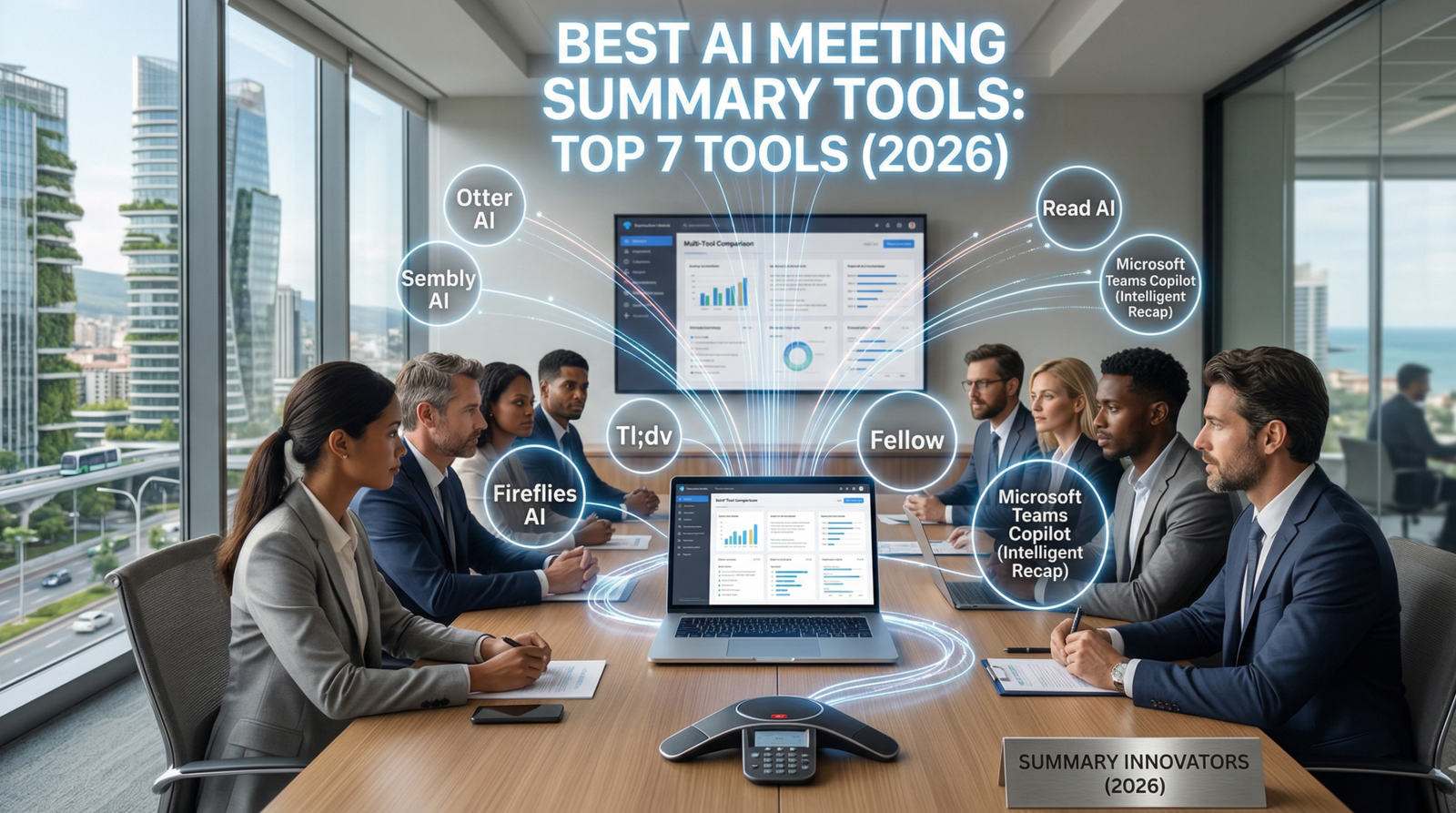
The average professional spends over 20 hours per week in meetings — and walks away having retained less than half of what was discussed. The best AI meeting summary tools in 2026 don’t just transcribe. They extract decisions, identify owners, generate executive-level summaries, and sync structured data directly into the platforms where work actually happens.
Whether you need an AI meeting summarizer for a fast-moving sales team, a distributed engineering squad, or a C-suite that needs a 30-second brief on a two-hour board call — this guide covers the seven tools that deliver. We evaluated each on AI depth, workflow integration, and practical output quality.
Quick Comparison Table
| Tool | Best For | Starting Price | Free Tier |
|---|---|---|---|
| Otter AI | Action item extraction with assignees | $16.99/month | Yes |
| Sembly AI | Decisions, risks & commitment tracking | $10/month | Yes |
| tl;dv | Zoom-to-Slack automated summaries | $20/month | Yes |
| Fireflies AI | Jira/Notion automation from call keywords | $10/month | Yes |
| Fellow | Two-way Jira/Asana/Notion task sync | $7/user/month | Yes |
| Read AI | Executive summaries + meeting scorecards | $19.75/month | Yes |
| Microsoft Teams Copilot | Intelligent Recap inside Microsoft 365 | Included in M365 Copilot ($30/user/mo) | No |
Best AI Tool To Extract Action Items From Meeting Transcripts
Otter AI
Most transcription tools dump a wall of text and leave you to find the action items yourself. Otter AI’s approach is fundamentally different: its extraction algorithm actively monitors the conversation in real time for linguistic patterns that signal commitments — phrases like “I’ll handle,” “you should send,” “can you get that to me by,” and variations of future-tense ownership language. By the time the call ends, it has already assembled a structured AI action items list — not buried in the transcript, but surfaced separately at the top of the meeting summary.
What makes Otter AI’s system particularly practical for project managers is its assignee recognition. When a participant says “Sarah, can you share the updated brief by Thursday?”, Otter doesn’t just transcribe it — it parses the named participant, the task, and the implicit deadline, then populates a task row with that structure. The output is a clean, ready-to-delegate table: task description, assigned person, and deadline — all derived from natural conversation without any manual tagging during the call. For teams running daily standups, client syncs, or sprint reviews, this turns every meeting into a structured work log automatically.
| Plan | Price | Key Features |
|---|---|---|
| Free | $0 | 300 min/month, basic transcription, limited AI |
| Pro | $16.99/month | Action items extraction, assignee recognition, OtterPilot |
| Business | $30/user/month | Unlimited transcription, team workspace, admin controls |
| Enterprise | Custom | SSO, custom data retention, compliance |
✅ Pros:
- Assignee + deadline recognition from natural conversation is genuinely accurate
- Action items surface in a structured, separate list — not buried in transcript
- Integrates with Zoom, Teams, and Google Meet natively
❌ Cons:
- Free tier’s session cap limits usefulness for back-to-back call schedules
- Assignee recognition accuracy drops when speaker labeling isn’t well-calibrated
Sembly AI
Sembly AI approaches meeting intelligence from a governance angle — and its Glance feature is what makes it unique in this category. Rather than producing a single undifferentiated summary, Glance segments every meeting into four distinct structured categories: Tasks, Decisions, Risks, and Events. Each category is populated independently, meaning a post-meeting Glance report gives you not just what was agreed, but also what was flagged as a potential problem and what calendar events were referenced or created.
The most technically differentiated capability is Sembly’s Commitment Recognition engine. When a participant says something like “I will check this by Friday” or “We’ll confirm the budget before the end of quarter,” Sembly classifies that statement as a commitment — not just a transcribed sentence. It then outputs a dedicated Action Items table with the responsible person, the stated commitment verbatim, and the implied or explicit deadline. This is a critical distinction from generic action item extraction: Sembly is capturing what people promised, not just what was discussed. For account managers, compliance teams, and executive assistants managing accountability across multiple stakeholders, this commitment-to-table workflow saves hours of post-meeting cleanup. The AI action items output is clean enough to paste directly into a client update or a board report.
| Plan | Price | Key Features |
|---|---|---|
| Free | $0 | 4 meetings/month, basic Glance summary |
| Personal | $10/month | Unlimited meetings, full Glance, action items |
| Team | $20/user/month | Team workspace, shared summaries, CRM sync |
| Enterprise | Custom | SSO, API access, compliance controls |
✅ Pros:
- Glance’s four-category segmentation (Tasks/Decisions/Risks/Events) is unique in the market
- Commitment recognition captures spoken promises with responsible party attribution
- Clean, structured output that’s ready for direct use in client reports
❌ Cons:
- Free tier capped at 4 meetings per month — not sufficient for daily use
- UI is less polished than Otter AI or Fellow at similar price points
How To Automatically Send Zoom Meeting Summaries To Slack
Tl;dv
The problem with most meeting AI tools is that summaries live inside the tool itself — meaning someone still has to manually copy, paste, and distribute. tl;dv solves this with a Slack automation layer that works without any manual intervention after initial setup. Once configured, tl;dv sends a post-meeting AI summary directly to a designated Slack channel — say, #sales-updates after a client call, or #product-feedback after a user research session — within minutes of the call ending.
What makes this more than a basic integration is the combination of custom AI summary templates and short video snippets. You configure templates per meeting type: a sales call template extracts deal stage, next steps, and objections; a product review template pulls feature requests and open questions. When the summary lands in Slack, it includes both the structured text summary built from that template and optional timestamped video clips of the most important moments — so a sales manager reviewing the #sales-updates channel sees not just a bullet-point summary but a 60-second highlight clip of the client’s exact objection or commitment. This Zoom to Slack AI workflow effectively turns every call into a team broadcast, keeping stakeholders informed without scheduling another meeting to recap the meeting. For remote and async-first teams, this is a genuine operational upgrade.
| Plan | Price | Key Features |
|---|---|---|
| Free | $0 | Unlimited recordings, basic summaries, limited Slack pushes |
| Pro | $20/month | Custom templates, full Slack automation, video snippets |
| Business | $59/user/month | Team analytics, CRM sync, API access |
| Enterprise | Custom | SSO, dedicated support, advanced security |
✅ Pros:
- Fully automated Slack delivery — zero manual distribution required
- Video snippet + structured summary combination is unique in the category
- Custom templates per meeting type produce consistently useful outputs
❌ Cons:
- Full Slack automation with custom templates requires the Pro plan
- Video snippet clips require manual review to verify the right moments were captured
AI Meeting Assistant That Integrates With Notion And Jira
Fireflies AI
Fireflies AI’s most powerful capability isn’t transcription — it’s its automation engine, which turns spoken words into structured work items across your entire toolstack. The integration logic works on keyword triggers: if a team member says “there’s a bug in the checkout flow” during a Zoom call, Fireflies can automatically open a Jira ticket with the full context from that moment of the transcript. Say “we need to document this process,” and it creates a new Notion page pre-populated with the relevant summary. This isn’t manual export — it’s event-driven automation configured in the Fireflies dashboard that runs without any post-call action from the team.
The same automation layer handles Zoom to Slack AI distribution: post-Zoom summaries are pushed as structured Slack messages to designated channels with no human involvement. For engineering teams, the Jira meeting notes integration is particularly valuable — a single sprint planning call can generate a full set of pre-populated Jira tickets, each linked back to the original transcript moment that created it. For cross-functional teams that live across Slack, Jira, and Notion simultaneously, Fireflies acts as the connective tissue that makes meeting output flow into all three without anyone becoming a manual integration layer. The Notion AI integration side specifically allows teams to maintain a living project wiki that updates itself from meeting content — a workflow that previously required a dedicated operations resource.
| Plan | Price | Key Features |
|---|---|---|
| Free | $0 | 800 min storage, basic transcription |
| Pro | $10/month | Unlimited storage, AI summaries, Slack integration |
| Business | $19/user/month | Jira/Notion automation, CRM sync, conversation intelligence |
| Enterprise | Custom | Private storage, HIPAA compliance, dedicated CSM |
✅ Pros:
- Keyword-triggered automation creates Jira tickets and Notion pages hands-free
- Best multi-platform integration coverage tested (Slack + Jira + Notion + CRM)
- Business plan pricing is highly competitive for the automation depth offered
❌ Cons:
- Keyword-trigger setup requires initial configuration investment
- Jira and Notion automation locked to Business plan — not available on Pro
Fellow
Where Fireflies automates based on keyword triggers, Fellow takes a different approach: it is a complete meeting management platform with two-way sync built into its core architecture, not bolted on as an integration. An action item created inside Fellow doesn’t need to be exported — it becomes a Jira ticket or an Asana task automatically through a live bidirectional sync. If the Jira ticket status updates, that change reflects back in Fellow. If a task is marked complete in Asana, Fellow updates the meeting record. This closed-loop model eliminates the disconnect between what was agreed in a meeting and what the project management tool actually reflects.
Fellow’s Notion AI integration works on the same two-way principle: as meeting summaries are generated and action items are assigned, the connected Notion workspace is updated in real time — adding new entries to databases, updating project pages, and maintaining a current record of every meeting’s output without anyone manually updating the wiki. For teams already using Jira for engineering sprints and Notion for documentation, Fellow effectively becomes the source of truth that keeps both synchronized. Jira meeting notes that used to require a dedicated Scrum master to maintain can now be generated and maintained automatically, with Fellow serving as the meeting intelligence layer above the project management stack.
| Plan | Price | Key Features |
|---|---|---|
| Free | $0 | 10 users, basic meeting notes, limited integrations |
| Pro | $7/user/month | Two-way Jira/Asana sync, Notion integration, AI summaries |
| Business | $10/user/month | Analytics, advanced AI, all integrations |
| Enterprise | Custom | SSO, admin, compliance, dedicated support |
✅ Pros:
- Two-way sync with Jira and Asana is genuinely bidirectional — not one-way export
- Notion integration maintains a living, auto-updated workspace
- Most complete meeting management platform at this price point
❌ Cons:
- Heavier onboarding than single-purpose tools — requires full platform adoption for best results
- AI feature depth lags behind Sembly AI on summary segmentation quality
Best AI Software For Generating Executive Summaries Of Long Calls
Read AI
Long calls — board reviews, quarterly planning sessions, extended client workshops — produce the most content and typically receive the least structured post-call output. Read AI was built specifically for this problem. Its signature deliverable for executive use is a 30-second read Executive Summary: regardless of whether the call ran 45 minutes or three hours, Read AI produces a concise, high-signal brief that captures the essential decisions, open questions, and next steps without requiring the reader to scan a full transcript. For a VP reviewing five meetings they didn’t attend, this is the difference between staying informed and giving up.
The Meeting Scorecard is Read AI’s most distinctive differentiator in the AI executive summary space. Rather than just summarizing what was said, it evaluates how the meeting ran — tracking pace (was it rushed? meandering?), talk-time distribution across participants, and a sentiment signal showing whether the room trended positive, neutral, or tense over the call’s duration. A sales leader reviewing a rep’s discovery call gets not just the summary but a quick read on whether the conversation felt energized or flat, whether one person dominated, and whether the pace allowed for meaningful dialogue. This meta-level intelligence, combined with the structured executive brief, makes Read AI the strongest option for leadership teams who need to stay across high-stakes calls without attending them. Teams AI summary outputs are also supported for organizations running Microsoft Teams alongside Zoom.
| Plan | Price | Key Features |
|---|---|---|
| Free | $0 | 5 meetings/month, basic summary, limited scorecard |
| Pro | $19.75/month | Unlimited meetings, full executive summaries, scorecard |
| Team | $29.75/user/month | Team dashboards, shared reports, CRM sync |
| Enterprise | Custom | SSO, compliance, API access |
✅ Pros:
- 30-second Executive Summary is genuinely usable for leadership-level briefings
- Meeting Scorecard adds meta-level call quality intelligence unavailable elsewhere
- Handles long, complex calls better than any other tool tested
❌ Cons:
- Free tier’s 5-meeting monthly cap is insufficient for regular executive use
- Scorecard insights require calibration time before becoming reliably meaningful
How To Automatically Track Decisions Made In Teams Meetings Using AI
Microsoft Teams Copilot (Intelligent Recap)
For organizations already operating within the Microsoft 365 ecosystem, the question of meeting AI isn’t which tool to adopt — it’s how fully to utilize what’s already embedded. Microsoft Teams Copilot’s Intelligent Recap is the most deeply integrated Teams AI summary solution available, and its decision-tracking capability is its most technically significant feature for governance-conscious organizations.
Intelligent Recap applies natural language understanding to recognize decision-signaling language within Teams recordings. When participants use phrases like “We agreed on this,” “The decision is to proceed with,” or “We’re aligned that,” Copilot classifies those statements as Decisions Made — and surfaces them in a dedicated structured block separate from the general summary. This isn’t keyword matching — it’s semantic intent classification, meaning it catches paraphrased agreement language as reliably as explicit decision declarations. For compliance teams, project sponsors, and executives who need an auditable record of what was formally agreed (not just discussed), this structured Decisions Made output is exactly what board minutes and project governance frameworks require. The AI executive summary it generates for long calls follows the same logic — pulling decisions, open items, and follow-up owners into a scannable brief that maps cleanly onto formal reporting structures. For organizations where data sovereignty, M365 compliance, and enterprise security are non-negotiable, Intelligent Recap eliminates the need to evaluate third-party tools entirely.
| Plan | Price | Key Features |
|---|---|---|
| Microsoft 365 Copilot | $30/user/month (add-on) | Full Intelligent Recap, Decisions Made, AI summaries |
| Teams Premium | $10/user/month | Intelligent meeting recap (limited Copilot features) |
Note: Intelligent Recap with full AI capability requires the Microsoft 365 Copilot add-on. Teams Premium provides a subset of recap features at a lower price point.
✅ Pros:
- Decisions Made extraction is purpose-built for governance and accountability tracking
- Zero integration overhead — fully embedded in existing M365 and Teams environment
- Enterprise-grade compliance, data residency, and security out of the box
❌ Cons:
- Requires Microsoft 365 Copilot add-on at $30/user/month — highest cost per seat on this list
- Only viable for organizations committed to the Microsoft ecosystem
- No free tier — no trial path without existing M365 licensing
Top Free AI Meeting Summary Tools
| Tool | Free Tier Limit | Best Free Feature | Requires Bot? |
|---|---|---|---|
| Otter AI | 300 min/month | Action items extraction | Yes |
| Sembly AI | 4 meetings/month | Glance summary (Tasks/Decisions/Risks) | Yes |
| tl;dv | Unlimited recordings | Basic summaries, limited Slack pushes | Yes |
| Fireflies AI | 800 min storage | Basic transcription, limited AI | Yes |
| Fellow | 10 users | Basic meeting notes, limited integrations | Yes |
| Read AI | 5 meetings/month | Basic summary + partial scorecard | Yes |
| Microsoft Teams Copilot | None | N/A — paid add-on only | Native |
How to Choose the Right AI Meeting Summary Tool for Your Stack
Three criteria should drive your decision before any other consideration:
- Where does your team’s work live? If your engineers live in Jira and your documentation lives in Notion, Fireflies AI or Fellow will deliver the most immediate value through their automation and two-way sync capabilities. If you’re a Microsoft-first organization, Teams Copilot eliminates the evaluation entirely. Match the output destination to the adoption reality.
- Who is the primary consumer of the summary? Individual contributors needing action items → Otter AI or Sembly AI. Async teams needing Slack-distributed updates → tl;dv. Leadership and executives needing high-signal briefs on calls they didn’t attend → Read AI. The right tool isn’t the one with the most features — it’s the one that produces the right format for the right reader.
- What’s the volume and call length pattern? For high-frequency, shorter calls (standups, check-ins, sales calls), Sembly AI and Otter AI handle volume efficiently. For lower-frequency, longer calls (board meetings, QBRs, discovery workshops), Read AI’s executive summary model is built specifically for that format. No single tool is equally optimal across both use cases.
FAQ: AI Meeting Summary Tools
Q1: Can AI meeting summary tools automatically identify who said what?
Yes — all seven tools on this list include speaker diarization, which labels transcript segments by participant. Accuracy varies by audio quality and platform: Otter AI and Sembly AI perform best when calendar invites are synced (allowing pre-call participant identification). Fireflies AI and tl;dv label speakers reliably on Zoom calls where participant names are visible. Speaker labeling is the foundation of assignee recognition — Otter AI’s action item extraction and Sembly AI’s commitment attribution both depend on accurate speaker identification to assign tasks to the right person.
Q2: Are AI meeting summary tools compliant with GDPR and enterprise security requirements?
Most enterprise-tier plans are. Microsoft Teams Copilot offers the strongest compliance posture for M365 environments, with full data residency and sovereign cloud options. Fireflies AI and Fellow are SOC 2 Type II certified. Read AI and Sembly AI offer GDPR-compliant data handling on Business and Enterprise plans. For any regulated industry or organization handling sensitive client data, always verify the specific plan’s data processing agreement before deployment — free tiers typically have more permissive data usage terms than paid plans.
Q3: Do these tools work with Microsoft Teams, not just Zoom?
Yes — with varying depth. Microsoft Teams Copilot is native to Teams with the deepest integration. Otter AI, Fireflies AI, tl;dv, Read AI, and Fellow all support Teams recording and transcription through bot-based joining. Sembly AI supports Teams on Pro plans and above. The primary functional difference is that Teams’ internal recording consent notifications are handled by the platform itself — third-party bots still appear as participants in the meeting roster.
Final Verdict: Which Are the Best AI Meeting Summary Tools for 2026?
Three tools earn tier-one recommendations for different use cases.
Sembly AI is the best choice for teams that need governance-level accountability — its Glance segmentation and commitment recognition turn spoken promises into a structured, attributable record that no other tool matches at its price point.
tl;dv is the best choice for async-first and remote teams — its Slack automation with custom templates and video snippets eliminates the manual distribution problem entirely, keeping distributed teams aligned without an additional sync call.
Read AI is the best choice for leadership and executives — its 30-second Executive Summary and Meeting Scorecard deliver a level of signal density that makes it the only tool specifically designed for people who need to stay informed on calls they didn’t attend.
Across all seven, the best AI meeting summary tools in 2026 share one defining characteristic: they don’t just produce a document after a call — they produce a structured, integrated output that flows directly into how your team works. That’s the bar worth holding every tool to.
Start with the free tier of the tool that matches your primary use case. Every option on this list will demonstrate its value within a single week of real meetings.
Last updated: March 2026 by ToolChamber Editorial Team. Pricing subject to change — verify current plans on each tool’s official website before subscribing.