Updated March 2026
In This Guide:
- Quick Comparison Table
- Best for Zoom (Otter.ai & Fathom)
- Best for Google Meet (MeetGeek)
- Free Accurate Tools (tl;dv & Laxis)
- Multi-Speaker Audio (Fireflies.ai)
- No-Bot Extension (Tactiq)
- Top Free Tools Summary
- How to Choose
- FAQ
- Final Verdict
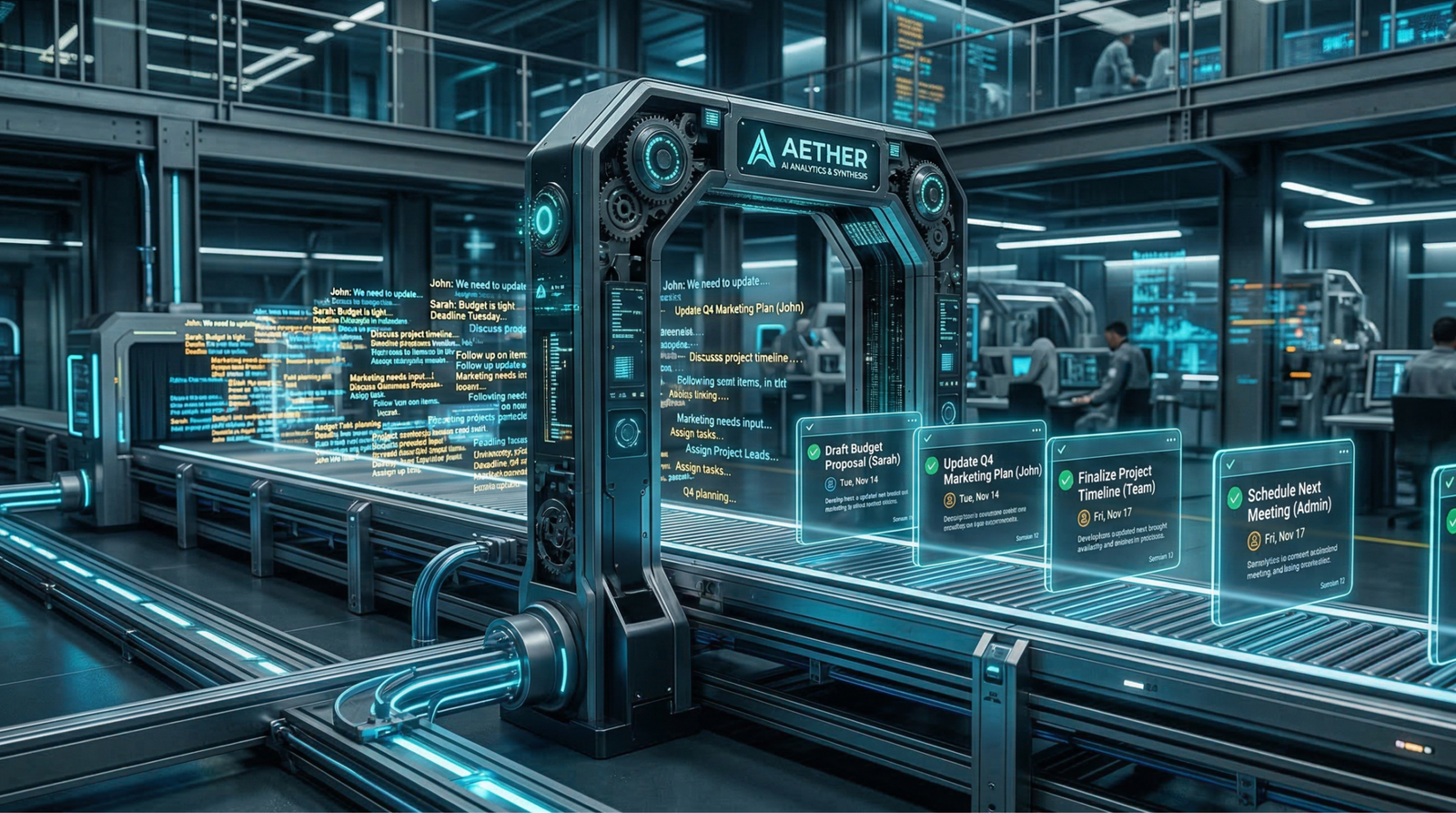
Every meeting generates decisions, action items, and context that someone needs to remember — and it’s rarely the person who was supposed to write it down. The best AI meeting assistant in 2026 doesn’t just transcribe. It captures slide content, identifies speakers, surfaces action items, syncs to your CRM, and hands you a searchable record of everything said before the video call window even closes.
We tested seven tools across Zoom, Google Meet, and Microsoft Teams environments — evaluating transcription accuracy, AI summarization depth, privacy posture, and pricing. Here’s the definitive ranked guide.
Quick Comparison Table
| Tool | Best For | Starting Price | Free Plan |
|---|---|---|---|
| Otter.ai | Zoom transcription + slide capture | $16.99/month | Yes |
| Fathom | Unlimited free recording | $0 (Free) / $19/month paid | Yes |
| MeetGeek | Google Meet automation & templates | $15/month | Yes |
| tl;dv | Multilingual teams (30+ languages) | $20/month | Yes |
| Laxis | CRM auto-population + AI chat | $16.99/month | Yes |
| Fireflies.ai | Multi-speaker sentiment analysis | $10/month | Yes |
| Tactiq | Bot-free, privacy-first Chrome extension | $12/month | Yes |
Best AI Meeting Assistant for Zoom Transcription in 2026
Otter.ai
OtterPilot is the feature that separates Otter.ai from every generic transcription tool on the market. Rather than joining your Zoom call as a passive note-taker, OtterPilot actively monitors your screen and triggers Automated Slide Capture — taking real-time screenshots whenever a presenter advances a slide. Those screenshots are embedded directly into the transcript at the exact timestamp they appeared, creating a synchronized visual + audio record that makes reviewing the meeting dramatically faster.
The practical impact: you don’t just get a wall of text. You get a document that reads like annotated meeting notes, where every key slide is visible inline alongside the words spoken about it. For sales presentations, product demos, or investor decks, this is a meaningful capability gap over competitors. Transcription accuracy on Zoom is consistently above 95% in clean audio conditions, and the Action Items extraction — automatically bolded and listed separately — handles follow-up tracking without manual review.
| Plan | Price | Key Features |
|---|---|---|
| Free | $0 | 300 min/month transcription, 30 min/session |
| Pro | $16.99/month | 1,200 min/month, OtterPilot, slide capture |
| Business | $30/user/month | Unlimited transcription, admin controls |
| Enterprise | Custom | SSO, custom data retention, compliance |
✅ Pros:
- Automated Slide Capture is a unique, genuinely useful feature
- Action item extraction is reliable and clearly formatted
- Works across Zoom, Teams, and Google Meet
❌ Cons:
- Free tier’s 30-minute session cap is limiting for long calls
- OtterPilot requires host-level Zoom integration to function fully
Fathom
Where most tools put their best features behind a paywall, Fathom leads with Unlimited Free Recording — no minute caps, no session limits, no credit system. For individuals who run back-to-back Zoom calls all day, that’s not a minor detail. It’s the entire value proposition of the free tier.
The standout AI feature is Instant Highlights: during a live call, you can press a single key to flag any moment as significant. Fathom immediately timestamps and clips that segment, and within seconds of the call ending, you have a shareable highlight reel — not a full transcript you have to skim. This is particularly valuable for sales calls (flag the objection, flag the commitment, ignore the small talk) and customer research sessions (flag the insight, skip the preamble). Zoom AI integration is native and frictionless — Fathom surfaces inside Zoom without a separate bot invitation. The paid tiers add team-sharing, CRM sync, and advanced AI summaries for organizations scaling beyond individual use.
| Plan | Price | Key Features |
|---|---|---|
| Free | $0 | Unlimited recording, highlights, basic summaries |
| Premium | $19/month | AI action items, CRM sync, custom templates |
| Team Edition | $29/user/month | Shared playlists, team analytics |
| Enterprise | Custom | SSO, admin, compliance |
✅ Pros:
- Genuinely unlimited free recording — best free tier in the category
- Instant Highlights workflow is fast and practical for sales and research
- No bot participant — clean, host-friendly integration
❌ Cons:
- Free tier summaries are basic compared to paid tiers
- CRM integration locked to Premium and above
How to Get AI to Take Notes in Google Meet Automatically
MeetGeek
MeetGeek solves a specific problem: Google Meet notes are fragmented by default. Someone screencaps an action item, someone else emails a summary, a third person posts in Slack — and a week later nobody agrees on what was decided. MeetGeek joins your Google Meet call, transcribes everything, and then — crucially — applies Meeting Templates that structure the output based on the type of meeting you’re running.
A sales call template extracts next steps, budget discussions, and objections. A sprint planning template pulls out story assignments and velocity commitments. A 1:1 template focuses on feedback and development goals. You define the template once, and every subsequent call of that type produces a consistently structured summary automatically. The second major differentiator is Workflow Automation: rather than dumping a full transcript somewhere, MeetGeek lets you route specific snippets to specific destinations. A flagged action item goes to Notion. A quoted customer pain point goes to Slack. A competitor mention triggers a HubSpot task. For remote teams running high-volume meeting schedules, this turns MeetGeek into a lightweight audio to text AI automation layer — not just a note-taker.
| Plan | Price | Key Features |
|---|---|---|
| Free | $0 | 5 hours/month, basic summaries, 1 integration |
| Pro | $15/month | Unlimited recording, all templates, all integrations |
| Business | $29/user/month | Team workspace, analytics, custom branding |
| Enterprise | Custom | SSO, API access, dedicated support |
✅ Pros:
- Meeting Templates produce consistently structured outputs by meeting type
- Workflow Automation to Notion/Slack is genuinely powerful for remote teams
- Deep Google Meet integration — fully automatic, no manual join required
❌ Cons:
- Free tier’s 5-hour monthly cap is restrictive for heavy meeting schedules
- Template setup requires upfront configuration investment
Free AI Tool for Accurate Meeting Minutes Generation
tl;dv
For global and multilingual teams, tl;dv addresses a gap that most English-centric meeting tools ignore: multi-language support across 30+ languages, with transcription and AI summarization available in Spanish, German, French, Japanese, Portuguese, and dozens more. When your engineering team is in Berlin, your sales team is in São Paulo, and your investors are in Tokyo, a tool that only handles English transcription is a liability, not an asset.
The second core capability is Timestamped Moments — a structured tagging system that lets you (or tl;dv’s AI) mark specific points in the recording as named moments: “Pricing Objection,” “Feature Request,” “Next Steps.” Each moment is independently shareable as a short clip. This transforms a 45-minute recording into a navigable library of relevant segments. Combined with its free tier — which includes unlimited recordings across Zoom, Meet, and Teams — tl;dv is the strongest free meeting AI option for teams who need multilingual capability without paying per seat. For teams also generating tasks from meetings, see [INTERNAL LINK TO: AI Tools That Turn Meeting Transcripts into Actionable Tasks].
Laxis
While tl;dv wins on language breadth, Laxis wins on post-meeting intelligence depth. Its signature feature is LaxisChat — effectively ChatGPT applied to your meeting archive. You can query your entire meeting history in natural language: “What did the Acme team say about their Q3 budget in the last three calls?” and get a synthesized, cited answer pulled from actual meeting transcripts. For account executives managing 20+ active opportunities, this is a research capability that previously required hours of manual review.
The second major differentiator is CRM Auto-Population: Laxis reads your transcripts and automatically writes structured data to HubSpot or Salesforce — contact notes, deal stage updates, follow-up tasks — without requiring you to copy and paste a single word. For bot-free meetings purists, Laxis does require a bot join, but its AI output depth justifies the tradeoff for sales-heavy teams. This is as close as free meeting AI gets to a full-time sales operations assistant.
| Plan (tl;dv) | Price | Key Features |
|---|---|---|
| Free | $0 | Unlimited recording, 30+ languages, timestamped moments |
| Pro | $20/month | AI summaries, team features, integrations |
| Business | $59/user/month | Analytics, custom AI, priority support |
| Plan (Laxis) | Price | Key Features |
|---|---|---|
| Free | $0 | Basic transcription, limited AI queries |
| Premium | $16.99/month | LaxisChat, CRM sync, unlimited transcription |
| Business | $40/user/month | Team workspace, advanced CRM automation |
tl;dv ✅ Pros:
- Best multilingual transcription in the category (30+ languages)
- Timestamped Moments make recordings genuinely navigable
- Strongest free tier for multilingual teams
tl;dv ❌ Cons:
- AI summarization quality lags behind Otter.ai and Laxis on complex calls
- CRM integration available on paid tiers only
Laxis ✅ Pros:
- LaxisChat is a uniquely powerful way to query your meeting history
- CRM auto-population for HubSpot/Salesforce is a genuine time saver for sales teams
- Action items and follow-ups are structured and sync-ready
Laxis ❌ Cons:
- Requires bot participant — no Chrome extension option
- LaxisChat and CRM sync locked to paid plans
AI Software to Transcribe Multi-Speaker Audio to Text
Fireflies.ai
Multi-speaker transcription is technically the hardest problem in meeting AI — and Fireflies.ai is the tool that takes it most seriously. Its AskFred feature is an AI search layer built on top of your entire Fireflies meeting archive. You can query across hundreds of recorded calls: “Find every meeting where a customer mentioned integration issues” — and AskFred returns timestamped references from every relevant session. For support teams, product managers, and UX researchers running qualitative research at scale, this is a research infrastructure tool disguised as a note-taker.
The second major technical capability is Sentiment Analysis on multi-speaker calls. Fireflies doesn’t just identify who said what — it classifies the emotional tone of each speaker’s contributions throughout the meeting. A post-call sentiment graph shows whether the conversation trended positive, neutral, or negative over time, and flags moments of friction or enthusiasm. For sales managers reviewing rep calls or HR teams conducting sensitive conversations, this adds a layer of qualitative intelligence that no pure transcription tool provides. Audio to text AI at this level of speaker intelligence is rare at the $10/month price point.
| Plan | Price | Key Features |
|---|---|---|
| Free | $0 | 800 min storage, basic transcription, limited AI |
| Pro | $10/month | Unlimited storage, AskFred, AI summaries |
| Business | $19/user/month | Sentiment analysis, CRM sync, conversation intelligence |
| Enterprise | Custom | Private storage, compliance, dedicated CSM |
✅ Pros:
- AskFred cross-meeting search is a unique research and recall capability
- Sentiment analysis on multi-speaker calls adds genuine qualitative intelligence
- Best price-to-feature ratio for teams needing advanced AI at low cost
❌ Cons:
- Free tier’s 800-minute storage cap fills up quickly for heavy users
- Sentiment analysis requires Business plan — not available on Pro
Best AI Meeting Bot That Joins Without Host Permission
Tactiq
Here’s the core truth about most meeting AI tools: they join your calls as a bot participant. That participant shows up in the attendee list. It gets recorded on the host’s end. Some organizations block external bots entirely. And in sensitive conversations — legal discussions, confidential negotiations, executive sessions — an unannounced AI participant creates real compliance and trust problems.
Tactiq is the answer to all of that. It is a Chrome Extension — not a bot, not a virtual participant, not a server-side recorder. Tactiq reads the live captions your video platform already generates (Zoom, Google Meet, Teams) and captures them in real time, locally, inside your browser. No bot joins the call. No notification appears in anyone else’s interface. Nothing is sent to a third-party server mid-call. This privacy-first architecture means Tactiq works regardless of host permissions, organizational IT policies, or bot-blocking rules — because from the platform’s perspective, nothing external is happening.
The AI layer processes the captured transcript after the call and generates summaries, action items, and Google Meet notes exports in Notion, Slack, or Google Docs. For professionals operating in regulated industries, law firms, healthcare, government, or any environment where bot-free meetings are non-negotiable, Tactiq is not just an option — it’s the only viable option in this category.
| Plan | Price | Key Features |
|---|---|---|
| Free | $0 | 5 AI prompts/month, basic transcript capture |
| Personal | $12/month | Unlimited AI prompts, all integrations, export |
| Team | $20/user/month | Shared workspace, team summaries, analytics |
| Enterprise | Custom | SSO, audit logs, compliance controls |
✅ Pros:
- Chrome Extension architecture — genuinely zero bot presence in meetings
- Works regardless of host permissions or organizational bot-blocking policies
- Ideal for regulated industries and privacy-sensitive environments
- Captures live captions from Zoom, Meet, and Teams equally well
❌ Cons:
- Dependent on the platform’s native caption quality — accuracy varies with connection and audio conditions
- Less AI feature depth than bot-based tools like Fireflies.ai or Laxis
- Free tier’s 5 AI prompts/month is very limited for regular use
Top Free AI Meeting Tools at a Glance
| Tool | Free Recording Limit | Key Free Feature | Requires Bot? |
|---|---|---|---|
| Otter.ai | 300 min/month | Basic transcription + highlights | Yes |
| Fathom | Unlimited | Instant Highlights, unlimited recording | No |
| MeetGeek | 5 hours/month | 1 workflow integration | Yes |
| tl;dv | Unlimited | 30+ language transcription, moments | Yes |
| Laxis | Limited | Basic transcription | Yes |
| Fireflies.ai | 800 min storage | Basic transcript, limited AskFred | Yes |
| Tactiq | 5 AI prompts/month | Bot-free Chrome capture, full transcript | No |
How to Choose the Best AI Meeting Assistant for Your Workflow
Before committing to a subscription, evaluate against these three filters:
- Privacy and bot policy first. If your organization restricts external participants or you regularly attend sensitive calls, Tactiq’s Chrome Extension model is the only tool that meets a zero-bot requirement. Every other tool on this list joins as a visible participant. Know your compliance constraints before evaluating features.
- Language requirements. For multilingual teams, tl;dv’s 30+ language support is the differentiator — no other tool in this list comes close. English-only transcription in a global team is a structural problem, not a minor inconvenience.
- Output destination. The best transcription tool is the one whose output lands where your team actually works. If your team lives in Notion and Slack, MeetGeek’s workflow automation earns its cost. If your revenue team lives in Salesforce, Laxis’s CRM auto-population pays for itself in the first week. Match the integration to the workflow, not the other way around.
FAQ: AI Meeting Assistants
Q1: Will an AI meeting bot notify other participants that the call is being recorded?
It depends on the tool and the platform. Bot-based tools (Otter.ai, Fireflies.ai, Laxis, MeetGeek, tl;dv) appear as a visible participant and are subject to the platform’s recording consent rules. Zoom and Google Meet display recording notifications when bots are active. Tactiq is the only tool on this list that operates as a Chrome Extension — it reads existing captions without joining as a bot, meaning no participant notification is triggered by Tactiq specifically. Note: standard recording consent laws still apply regardless of the tool used.
Q2: How accurate is AI meeting transcription in 2026?
For single-speaker audio in clean conditions, accuracy rates across these tools consistently reach 95–98%. Multi-speaker accuracy drops depending on audio quality, accents, and speaker overlap. Fireflies.ai performs best on multi-speaker differentiation. tl;dv leads on non-English transcription. Otter.ai produces the best structured output with slide capture context. For critical decisions, always review AI-generated minutes before distributing — they are an efficiency tool, not an infallible record.
Q3: Can free AI meeting tools handle enterprise-level call volume?
For individual use, yes — Fathom’s unlimited free recording and tl;dv’s unlimited free multilingual transcription are genuinely enterprise-capable at the individual level. For teams with shared workspaces, centralized management, CRM integration, and compliance requirements, paid plans are necessary. Most tools in this list offer team plans between $15–$30/user/month, which is cost-effective relative to the hours saved in manual note-taking across a full team.
Final Verdict: Which Is the Best AI Meeting Assistant for 2026?
Two tools earn unconditional recommendations.
Fathom wins for individuals and small teams. Unlimited free recording, Instant Highlights, and native Zoom integration make it the strongest no-cost option in the category — with a paid tier that adds everything a growing team needs without aggressive pricing. If you run Zoom calls and want to stop taking notes immediately, start here.
Fireflies.ai wins for teams that need depth. AskFred’s cross-meeting search, multi-speaker sentiment analysis, and a $10/month Pro plan that undercuts every comparable competitor make it the highest-value paid tool for organizations running high-volume meeting schedules.
For regulated industries and privacy-first environments: Tactiq is the only correct answer.
The best AI meeting assistant for your team is ultimately the one that integrates where you already work, respects your privacy constraints, and turns your meetings into decisions — not just documents. Every tool on this list does that better than manual note-taking ever could.
Start with a free trial. Most of these tools will prove their value inside a single working week.
Last updated: March 2026 by ToolChamber Editorial Team. Pricing is subject to change — verify current plans on each tool’s official website.